





How do you use AI to do more with less, without alienating the customers you worked so hard to acquire? The Vice President of Support at Fathom AI weighs in.
Customer support teams are under immense pressure to scale efficiently without losing the human touch. In a landscape dominated by hype, the "automation dilemma" is very real: how do you use AI to do more with less, without alienating the customers you worked so hard to acquire?
To unpack how to solve this, we talked to Alyssa Medina, Vice President of Support at Fathom. Fathom is an industry-leading AI notetaker that records, transcribes, and summarizes virtual meetings. Because they build AI natively, their team has a highly sophisticated, deeply practical approach to how it should be deployed internally. Alyssa shared her framework for balancing operational efficiency with an exceptional customer experience.
The support leader’s vision: a center of intelligence
For Alyssa, the traditional view of customer support is outdated. While many companies view support merely as a cost center, she sees it as a “center of intelligence”. Because support teams have the most data and talk to customers constantly, they represent the true voice of the customer for the broader organization.
To harness this intelligence, Fathom operates under a very clear mandate regarding new technology: you cannot launch AI that is worse than what a human can do. The team at Fathom sees AI not as a tool to replace human agents, but rather as a mechanism to make the team more efficient, effective, and confident in their roles. When Fathom implemented Front AI, the goal was not to force a specific ticket deflection rate, but simply to give customers an alternative channel to get help if they preferred not to speak to a human.
“A lot of companies see support as a cost center. I see it as a center of intelligence.”
A simple support framework for what and when to automate
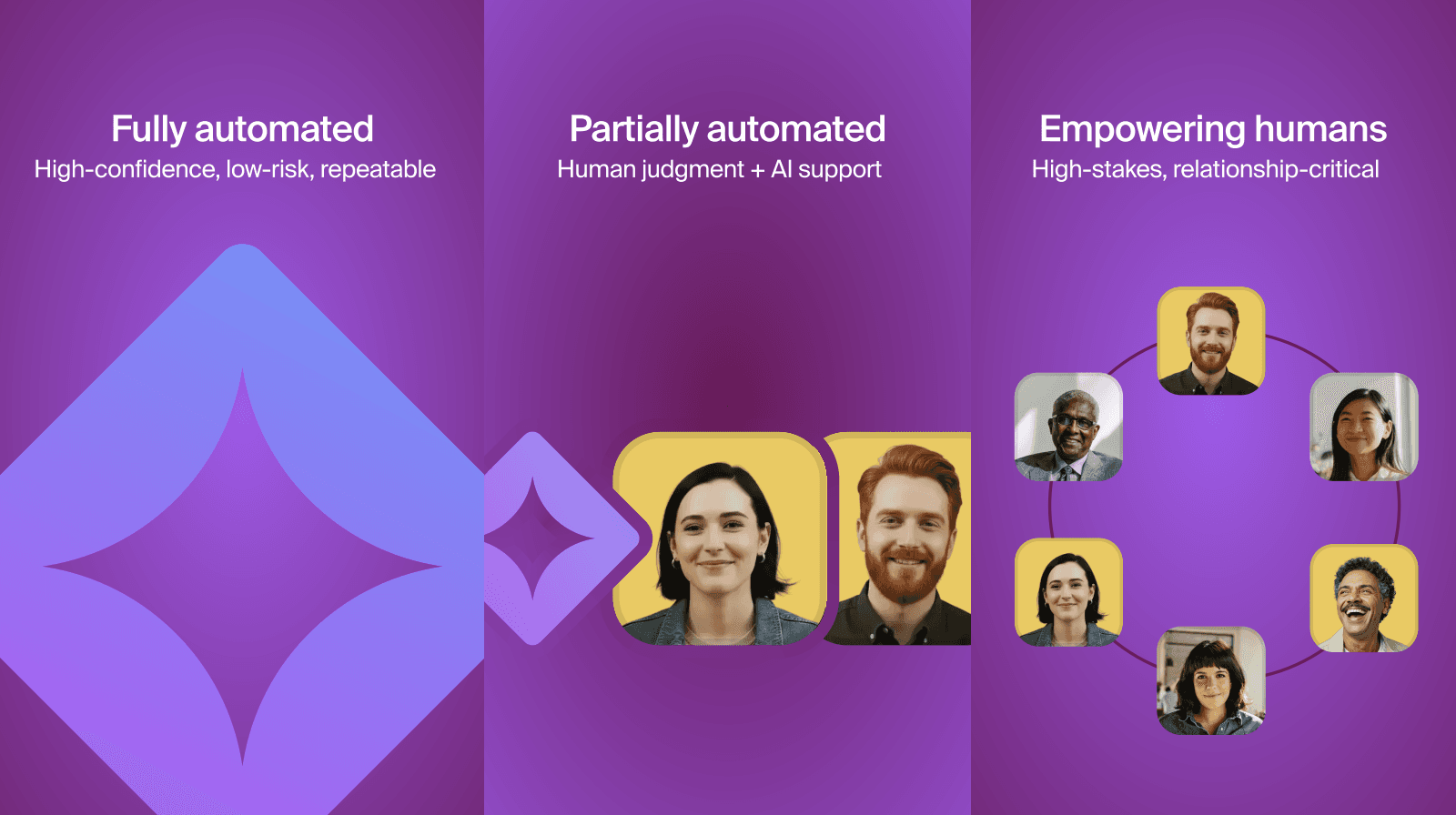
When deciding where AI belongs, Alyssa breaks support workflows down into three distinct categories based on their need for human judgment:
Fully automated: Workflows that are deterministic, structured, and low-emotion are prime candidates for full automation. This is where you optimize strictly for speed. For example, Fathom relies on AI to handle predictable inputs and outputs, like gathering the name, date, and time of a meeting before routing a ticket.
AI-assisted (with a human in the loop): This category is for workflows requiring judgment, where AI acts as an assistant rather than the driver. Here, the goal is to optimize for speed and human accountability. AI does the heavy lifting - like drafting an outgoing response from a help center article - but a human retains ownership to validate the accuracy, tone, and edge cases before acting. Fathom actively uses surveys to optimize this balance; recent feedback highlighted that customers appreciate being routed to a human when needed, prompting Fathom to build tighter escalation logic that routes billing and complex technical questions straight to an agent.
Strictly human-led: Fathom explicitly avoids automating moments of high emotional friction. Escalations carrying revenue or reputational risk, apology and recovery moments, and opportunities to differentiate the brand and build affinity are kept strictly in the hands of human agents.
How Fathom uses Front AI to uplevel its support team
As an AI-native company, Fathom understands the opportunity cost of building internal tools versus buying specialized ones. To keep their internal AI team focused on their core product, Fathom relies heavily on Front AI to run their support operations. That includes:
Accelerating replies with contextual AI: Fathom uses Front Copilot to decrease the time agents spend researching answers. Rather than forcing agents to start from scratch, the AI pulls from Knowledge Base articles to provide a dynamic jumping-off point. Fathom’s team appreciates that Front’s AI is highly contextual, placing suggested replies right in the message draft.
Proactive escalation routing: To protect revenue and reputation, Fathom uses Front AI to tag sentiment escalations. The AI flags tickets where a user seems especially frustrated, even if it is their very first message.
Rapid cross-functional intervention: Once Front AI identifies the conversation sentiment, it automatically sends that message to Fathom’s support team. This allows support team leads to audit the tickets and coach reps on de-escalation strategies. It also gives cross-functional teams - like Customer Success, Engineering, and even Fathom’s CTO - visibility to jump into the thread with backend context about why a user might be upset.
Streamlining new hire onboarding: Fathom also uses AI to power their tiered training program. Front AI automatically identifies and classifies tickets with content that newer hires should be capable of answering. This creates a perfectly filtered queue for trainees. Previously, team leads had to spend valuable time manually reading and tagging these tickets. Automating this step has cleaned up the queue, instilled confidence in trainees, and decreased overall onboarding time.
Tool consolidation: Because Front is rapidly building parity features like topic detection and Smart QA, Fathom chose to cancel their renewal with a third-party AI support tool and consolidate their tech stack and invest fully in Front.
Treating AI like a junior hire
Alyssa has instituted a clear rule at Fathom to ensure AI implementation lives up to AI promise: you must QA the system just like you QA your human agents.
By treating AI like a junior hire that earns autonomy over time, support leaders can safely deploy technology without introducing blind spots or risk into their operations. At Fathom, this QA process looks like:
Validating AI drafts before granting autonomy: Just as a junior employee doesn’t get to answer every user unsupervised right away, AI earns its independence over time. Fathom’s human agents review AI-generated responses to validate accuracy, ensure the tone matches the brand, and account for edge cases before hitting send.
Testing clear escalation triggers: A smart AI system knows when to hand off a conversation to a human. Alyssa QAs the system to ensure it accurately detects frustrated language, billing disputes, data loss, or churn intent and routes those directly to an agent. If the system fails to escalate these moments, it introduces operational risk rather than intelligence.
Fixing "messy knowledge": AI relies on a "garbage in, garbage out" model. By proactively monitoring metrics like bot success rate and resolution rate, Fathom identifies where their own internal documentation needs to be tightened up or standardized so the AI can learn properly and produce better outcomes.
“If you QA humans but not AI outputs, you’ve just created a blind spot for your organization.”
Empowering support for the future
Ultimately, implementing AI in customer support isn’t about eliminating the human element; it’s about amplifying it. By strategically automating repetitive tasks, surfacing real-time sentiment data, and leveraging contextual AI for drafting, Fathom frees up its support team to focus on building trust and brand affinity during the moments that matter most.
If you want to dive deeper into how high-performing CX teams are building their AI strategies, identifying safe automation workflows, and creating proper guardrails, watch our on-demand webinar.