




Learn how B2B teams use live chat software for business to manage customer conversations, operational coordination, and support workflows at scale.
For B2B support teams, no two customer conversations are the same. Some are quick questions with quick answers. Others send a specialist looping in multiple teams, pulling customer context from different systems, and coordinating behind the scenes before anyone can reply.
The best live chat software makes both types of requests easier to handle — enabling faster responses on the simple ones, and cleaner collaboration on the complex ones. Here’s what to look for in a live chat platform, plus six of the best options for B2B support teams.
What is live chat software?
Live chat software for business lets teams manage real-time customer communication across websites, apps, and support platforms. It’s built for fast response times and consistent conversations across channels and teams.
Unlike basic website chat widgets or stand-alone chatbots, which offer canned responses based on pre-designed rules, live chat software puts a real person in the conversation with the customer, in real time.
What should B2B teams look for in live chat software?
These are the characteristics that separate the best live chat tools from the rest.
Omnichannel communication and shared visibility
Live chat tools that are part of an omnichannel support platform let your team handle chat, email, Slack, and other communication channels from a single workspace. Teams don’t have to spend time switching between multiple apps and losing customer context along the way.
Assignment and ownership management
B2B conversations get handed off from team to team. Look for customer chat software that makes ownership easy to assign, so work stays coordinated and nobody doubles up during a rush.
Workflow automation and routing controls
As requests land across live chat and other channels, you need to prioritize them and get them to the right people fast. Choose a tool with strong automated workflows for routing, triage, and escalations.
Customer context and integrations
To give the best answer, your team needs customer context and operational data right there in the conversation. That takes deep integration with your CRM, ticketing, operational platforms, and other internal tools.
Reporting and operational visibility
A strong reporting dashboard shows you response times, escalation patterns, workload distribution, and conversation trends, so you catch emerging problems early and stay ahead of customer service challenges.
AI-assisted customer support with operational oversight
Favor tools with AI-powered customer service tools that summarize conversations and draft responses. The goal isn’t to replace your team with an AI chatbot — they make mistakes. Front’s Coordination Tax report found that 71% of companies faced at least one significant AI issue in the past three months.
Which live chat platforms are built for the realities of B2B customer operations?
The best live chat software options for B2B let you move conversations across teams without dropping customer context. Here are six platforms, each with its own strengths.
Front
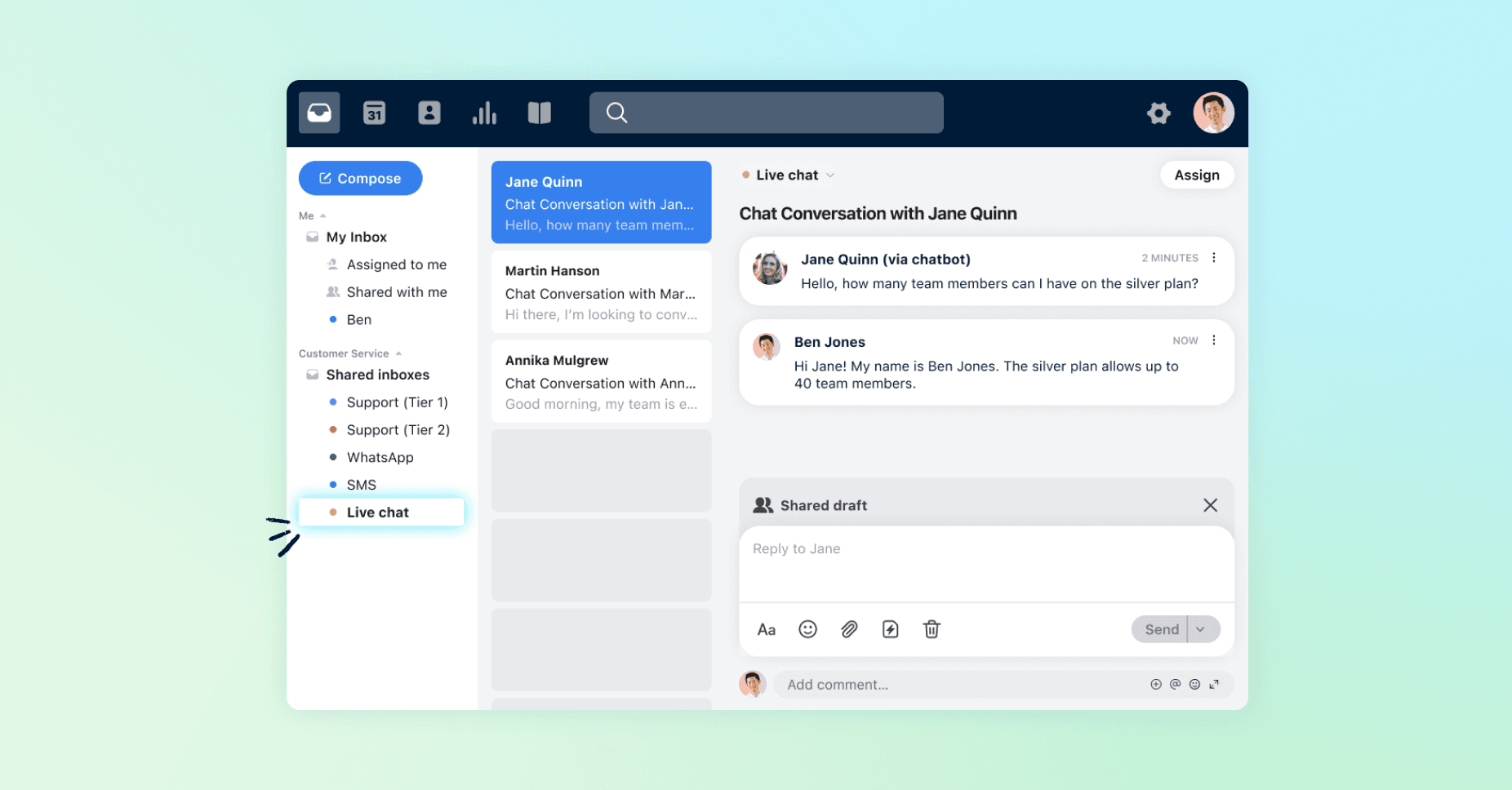
Front is a broader omnichannel customer service platform with live chat built in. Teams use internal notes and shared drafts to plan a response, and clear assignments to keep ownership obvious as work moves between teams.
It’s a strong fit for complex B2B support. Automated routing and escalation paths and deep integrations with CRMs and operational systems like HubSpot, Salesforce, and Asana ensure shared customer context is available to every team mid-conversation. Front’s AI assistant drafts responses while your team keeps oversight.
Fin
Fin (formerly known as Intercom) places an emphasis on automation while giving you the ability to intervene when necessary. Beyond answering questions, it can update customers’ accounts and write to third-party systems. It could resolve a billing issue by updating the customer’s details in an integrated third-party billing system, for example.
As well as live chat support, Fin lets you set up a traditional help desk, with a shared inbox from multiple channels, as well as a knowledge base. It supports integrations with more than 450 apps, such as Salesforce and Jira. It works well for SaaS and e-commerce teams that want to use automation to reduce ticket volume without adding to their headcount.
Zendesk
Zendesk suits teams that need highly structured customer support workflows and ticket-centric service operations. Its messaging tool lets you embed a chat widget on your website or mobile app. You can opt to use an AI chatbot that answers questions autonomously and routes more complex queries to human representatives.
Zendesk’s flexible live chat software is customizable. For example, you can build custom reporting dashboards and configure your own automated workflows for routing and notifications.
LiveChat
LiveChat offers a live chat feature that’s intuitive. It has an AI-powered copilot that suggests responses and summarizes chats. You can also set up canned responses to common questions and use AI chatbots to answer questions instantly.
Since LiveChat is strongly focused on chat support, it can work for companies whose customers predominantly use live chat. It doesn’t include omnichannel support as part of the core offering, but it’s equipped for integrations, so that you can pull messages from other channels like email and Slack into the chat interface. Similarly, features like advanced reporting and a knowledge base are available through integrations.
Tidio
Tidio makes sense for teams that manage high volumes of inquiries from website visitors. Its AI agent can automate up to 67% of conversations, according to the company, which could free up your team to focus on more complex inquiries.
Tidio can suit B2B SaaS startups looking for a quick way to offer live chat support via a website widget, for example. But Tidio reviewers report that the AI chatbot can struggle with complex or context-heavy customer queries, and that it’s difficult to set up advanced chatbot workflows and highly customized automations.
Crisp
Crisp is a budget-friendly option for small to midsized companies looking for AI-powered live chat integrated with basic help desk functionality. It offers a knowledge base, a simple ticketing system, and integrations with CRMs like HubSpot and Pipedrive.
Crisp’s pricing is based on a monthly fee per workspace, not per user, so you can keep costs flat even as your team scales. The company has a free plan, which is a useful way to try out the platform. It only allows for two agent accounts, though, so it’s too limited for B2B users.
Choose the platform that fits your customer operations
As you weigh your options, these are the criteria that matter most:
Cross-team collaboration: Map how conversations move across your teams and departments, and pick a tool built for those handoffs.
Operational complexity: Some tools fit small teams with simple operations; Others are built for real complexity, with omnichannel support and deep integrations.
Conversation volume: Factor in your expected volume and choose software that scales with you, through automation and beyond.
Shared visibility: If teams need joint visibility into customer context across systems, prioritize a tool built around shared context.
Escalations and approvals: Find software that lets you manage escalations and approvals, keeping work coordinated as it moves between teams. Per Front’s Coordination Tax report, tool switching is more common in team members using more advanced software.
The role of AI and automation: Decide whether you want AI handling conversations autonomously or a platform that keeps you in operational control.
Reporting requirements: Know the metrics you need for operational oversight and surface level agreement compliance, and choose software that puts them in a real-time dashboard.
Front: live chat software built for complex B2B customer operations
The best live chat software speeds up replies and keeps conversations connected as they move across departments, maintaining context and making collaboration easier.
Front’s customer operations platform is built for exactly that reality. It brings live chat, email, and every other customer channel into one workspace with shared context, so work stays coordinated across every team and handoff.
Download Front’s guide to humanizing the customer experience with technology for practical best practices, and book a demo to see Front in action.