



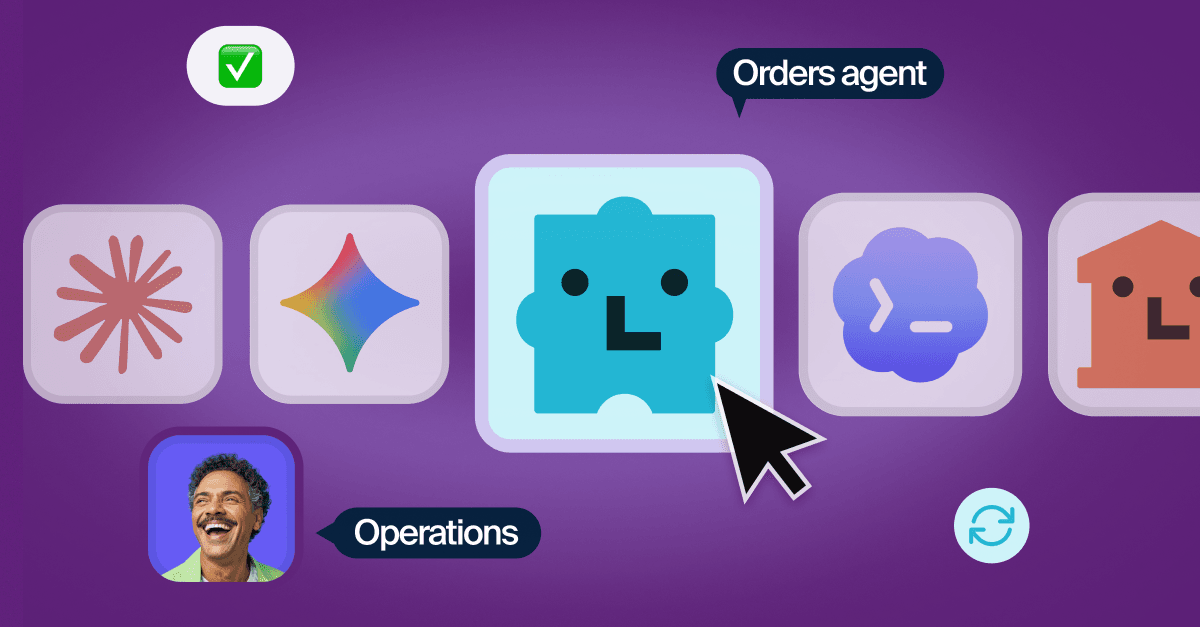

Front is introducing a new way for customer-facing teams and AI agents to work as one.
Today, Front becomes the shared workspace for every team and AI agent behind your customer experience: people, custom Autopilot agents from Front, and AI agents you build or bring from other providers. With shared context, clear ownership, and centralized oversight, they can tackle complex customer work together.
We’re also bringing more of that customer work into Front, so teams can manage the full customer relationship from onboarding and renewal, not just individual conversations. With one place to see every account and its full history, teams can connect the work happening today to what the relationship needs next.
Great customer experiences have always depended on coordination customers never see. Support resolves the issue, Account Management understands the relationship, and Operations keeps the right systems updated. Behind the scenes, several teams share the work. To the customer, it feels like one team that knows their story.
With AI agents joining that team and taking on more work, seamless coordination matters more than ever. Teams need to see what’s happening, set the guardrails, and step in without making the customer start over.
Our latest release brings that coordination into Front, with new ways for customer teams to work alongside AI agents, improve their performance, and proactively manage the customer relationship:
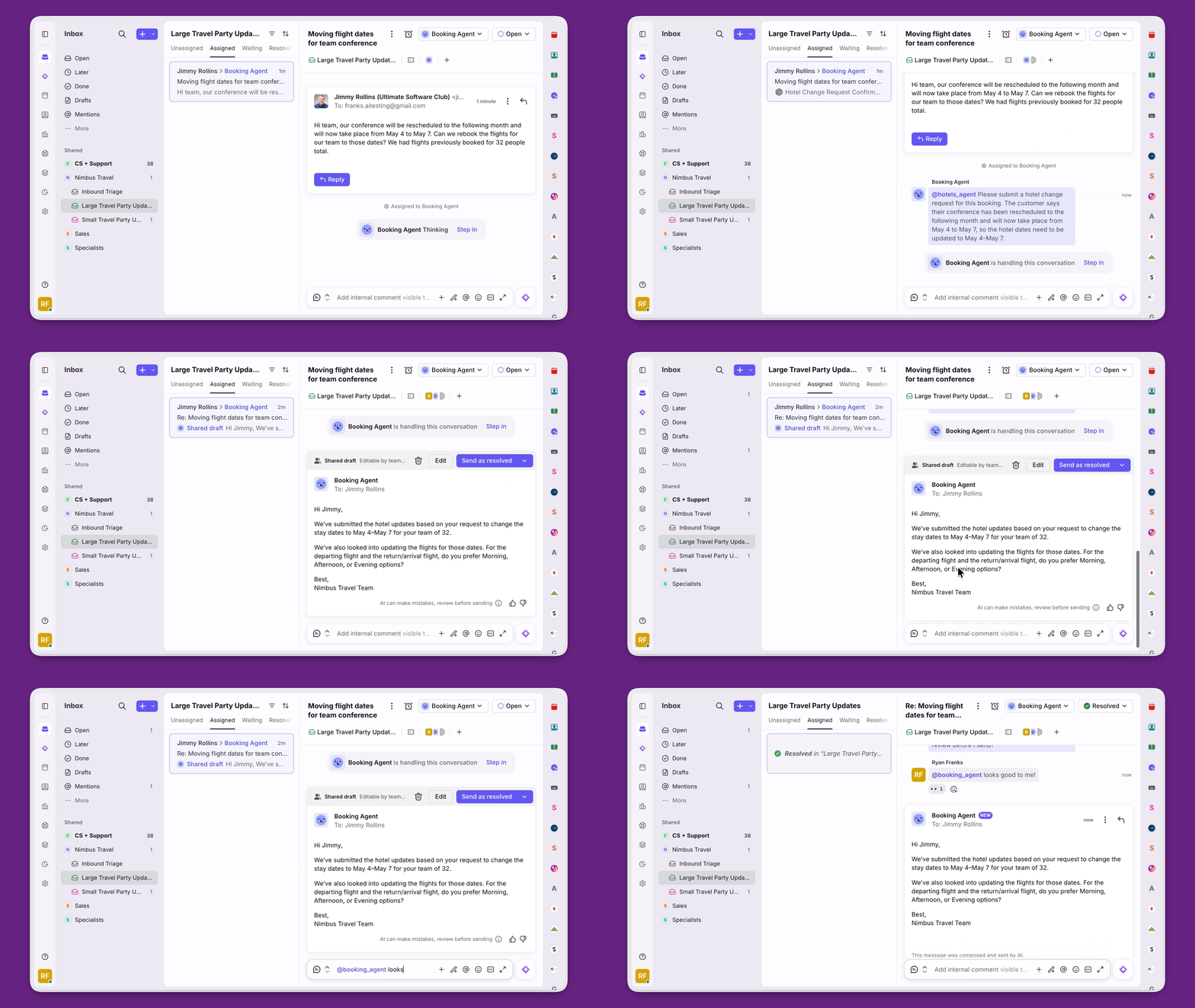
Collaborate with AI teammates: Treat custom Front Autopilot agents and external agents like part of the team, with clear ownership, shared context, and centralized control.
See and strengthen every AI agent: Compass, Front’s AI agent performance tool, automatically scores every reply, surfaces quality and sentiment insights, and shows you where each agent can improve.
Stay one step ahead on every account: See your book of business and drill into account activity with the new Accounts experience. Get churn risks, meeting briefs, and more delivered to your inbox with Copilot routines.
Behind the scenes, many teams, people, and agents may be working together. To the customer, it feels like one company delivering one exceptional experience.
Work with AI agents like teammates — yours, ours, and theirs
Creating an AI agent is only the start. What matters is how that agent works inside your operation: whether it has the right context, follows the right process, stays within the right guardrails, and hands work to a person without making the customer start over.
In Front, AI agents work in the same customer conversations as your teams. Assign work to an agent just as you would to a teammate: @mention it, assign it a conversation, or let it escalate when it reaches a guardrail. When a person takes over, the full conversation and customer context come with it.
Bring all your agents to Front. Run your agents built with Claude, OpenAI, Sierra, or another AI provider on Front to handle all your customer work in one place.
Use the Autopilot agent that fits the job. Create specialized agents for each brand, team, or region with Autopilot, the AI agent that handles up to 70% of customer requests.
Autopilot Playbooks that flex. Describe what to check, what to ask, when to act, and when to hand off in plain language. Autopilot follows the process while adapting as the conversation unfolds.
Here’s what that looks like: A customer requests a refund above your standard policy limit. A custom Billing agent powered by Autopilot pulls up the order, sees the requested refund is above the policy limit according to its guardrails, then auto-drafts a reply before tagging in a human teammate from Finance for approval. After Finance approves the request by @mentioning the Billing agent and the agent sends the drafted message and resolves the conversation.
External agents are available on all plans. Autopilot is available as a usage-based add-on to all plans.
“Using external agents in Front has saved us at least 11 hours a week of lookup, paperwork, and first replies we no longer do by hand, which has been monumental for our agency.”
Hold every AI agent to one standard with Compass
As the number of agents grows, spot-checking performance stops working. You need to know what every agent is doing, and where each one can improve.
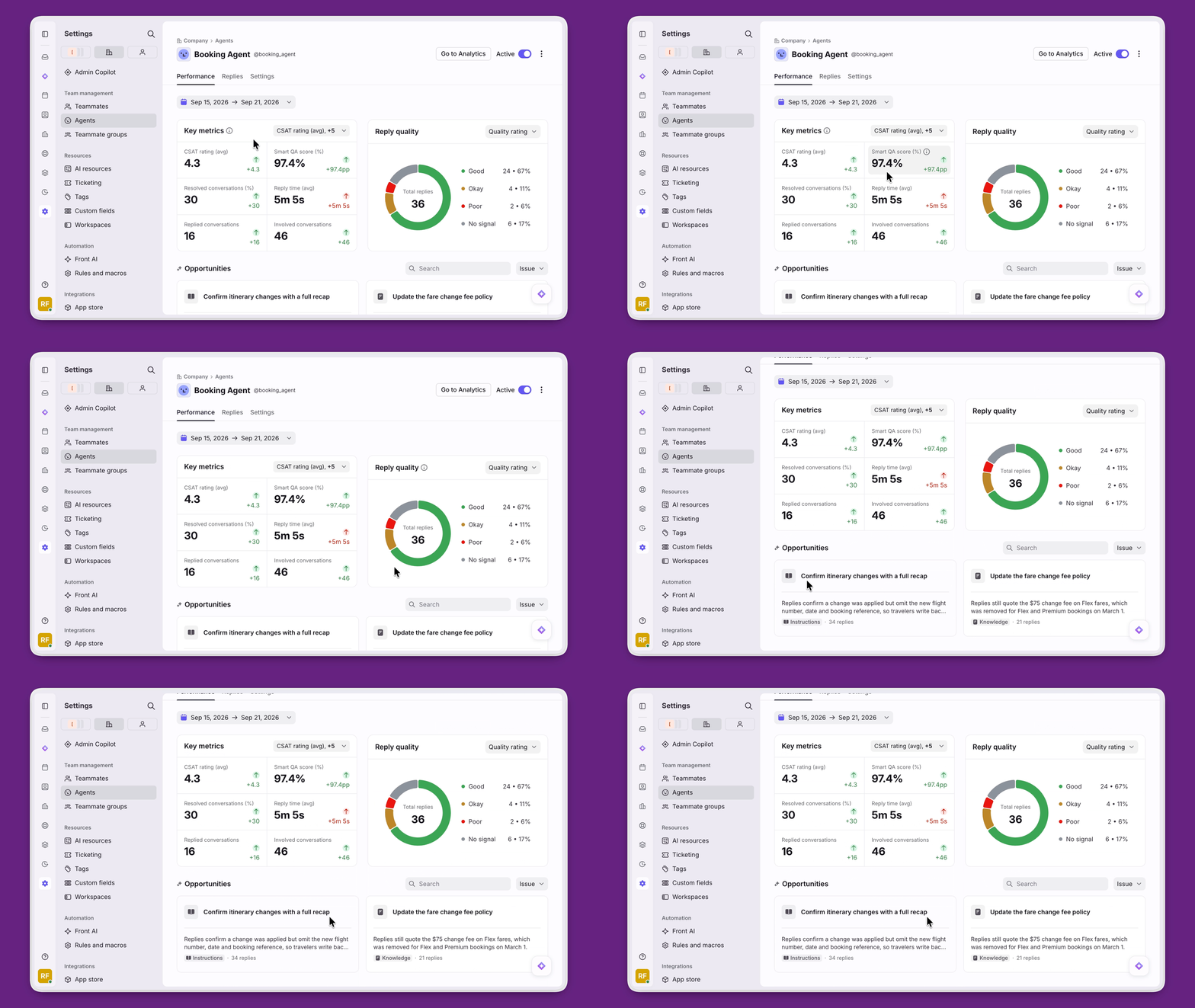
Compass evaluates every conversation handled by your AI agents, whether they run on Autopilot or use another provider. One quality standard gives you a complete view of performance across your AI workforce.
Measure every conversation, not a sample. Score every conversation on tone, comprehension, and more. Plus with an inferred CSAT score, so you can stop relying on manual surveys.
Spot performance gaps. See whether missing guidance, outdated knowledge, or an unclear process is holding an agent back.
Know when an agent slips.Track quality and customer satisfaction over time, so you can see which agents are up to par, and which need attention.
Make every Autopilot agent customer-ready. Run real-world scenarios and refine its behavior before it handles live conversations.
Here’s what that looks like: When the Billing agent’s CSAT rating drops for refund questions, Compass flags it before customers notice: the drop traces back to an outdated help article. The team updates the article, and the score recovers.
Compass is available for both Autopilot and external agents with no additional fees. Using Compass with Autopilot requires the Autopilot add-on.
“Compass gives our Support and Engineering teams one place to review AI responses, measure quality, and improve agent performance together, so we can confidently move more workflows from AI drafts to automated replies.”
Keep every account in view and every next step moving
Managing accounts shouldn’t mean piecing together a customer from your CRM, support platform, and the latest forwarded thread.
Front now gives customer-facing teams one place to see every account, understand its full history, and act on what needs attention.
Know which accounts to prioritize. View your entire book of business from the new Accounts page with filters for renewal, revenue, owner, or any data field synced from your CRM to surface the accounts that need attention.
Get the full account picture. See omnichannel activity, stakeholders, and health signals in one place, without piecing the story together across tools.
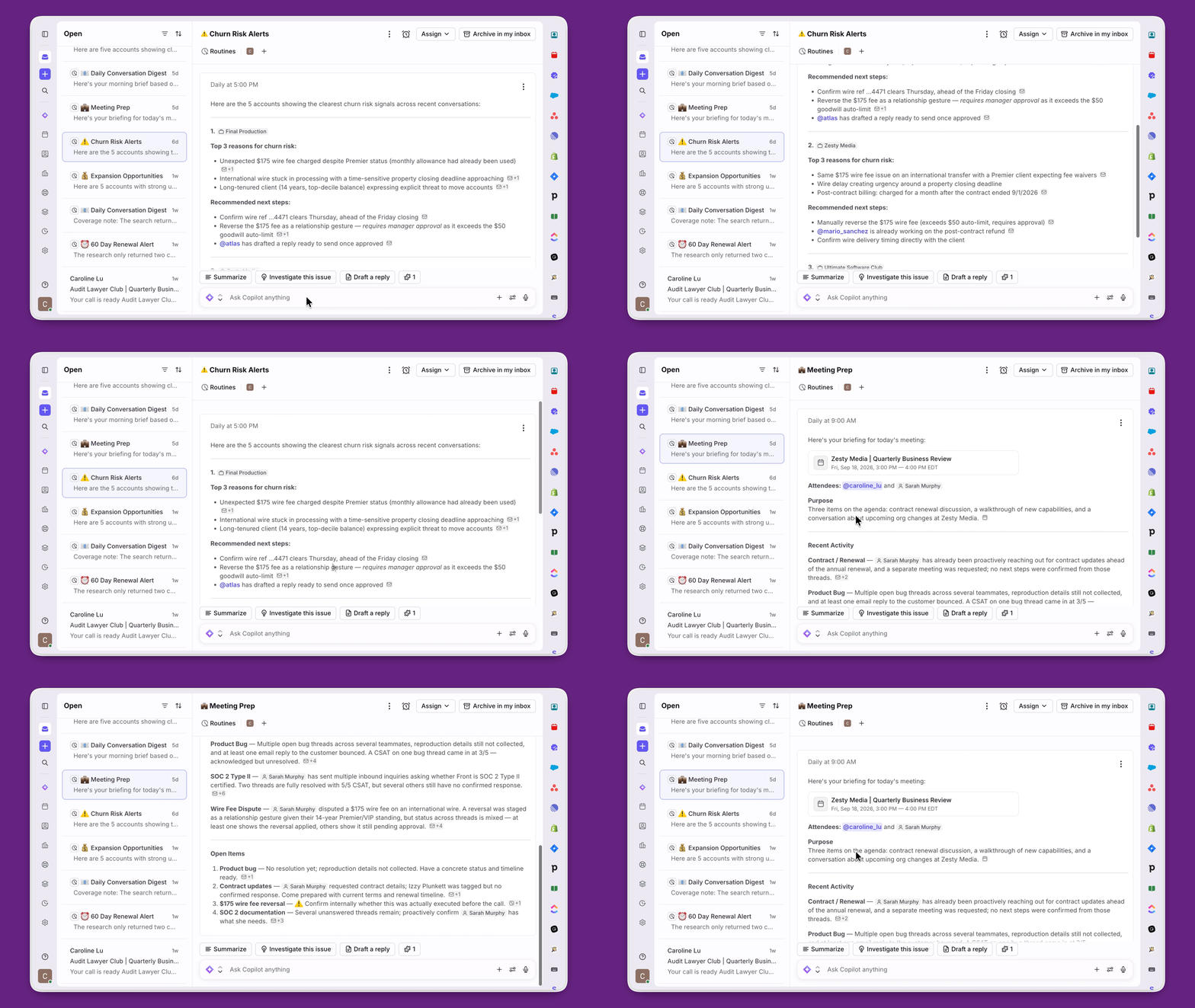
Let Copilot run the account prep work. Schedule meeting briefs, follow-ups, and churn risk alerts straight to your inbox. Get instant account summaries with recommended next steps to help you take action.
Here’s what that looks like: An account or customer success manager opens the Accounts page filtered to renewals due this quarter and sees one account with a support ticket still open, a stakeholder who’s gone quiet, and a health score sliding. Instead of piecing that together across three tools, it’s all on one page, and Copilot has already flagged the account as a churn risk and drafted a check-in email to the customer.
The Accounts and Account details pages are included in all plans. Copilot routines is available on the Enterprise plan or the Copilot add-on.
Customer work is changing. The customer experience shouldn’t.
As companies add more people, teams, and AI agents, the complexity behind the scenes will only grow. But that complexity should never become the customer’s problem. Every contributor needs the same context, clear ownership, and a shared standard for the experience they deliver.
That’s the future Front is building: a place where every person and agent involved in customer work can move together as one team.
Ready to put AI agents to work without losing control? Join us for four 30-minute sessions on choosing the right agents, managing handoffs, and measuring performance.